How to Size an AS/RS for Your Warehouse
A warehouse can hold all its inventory and still miss its shipping deadline. Storage capacity tells you how much the system can hold. Throughput tells you how much work it can handle in a given time. To size an automated storage and retrieval system (AS/RS), define both before deciding how many bins, robots, or workstations you need.
Start with your inventory, order history, and shipping commitments. To determine how to size an AS/RS for your needs, consider your storage requirements, throughput, and future growth. If you are still comparing technologies, see our guide to warehouse automation.
| What to collect | What it tells you |
|---|---|
| SKU profile Product dimensions, weights, inventory levels, and pick frequency by SKU. | What can go into automated storage and how much inventory the system needs to hold. |
| Order mix Order lines per order in a typical week and a peak week. | How much picking and packing work sits behind the order count. |
| Peak-hour order lines Order lines by hour on typical and busy days, plus peak duration and shipping deadline. | How much work the warehouse needs to complete before orders ship. |
| Replenishment When inventory is replenished and where delays occurred during past peaks. | Whether inventory can reach picking stations in time during busy periods. |
| Expected growth Separate forecasts for product assortment, inventory levels, and order volumes. | Whether you need more storage, higher throughput, or both. |
Turn your data into capacity requirements
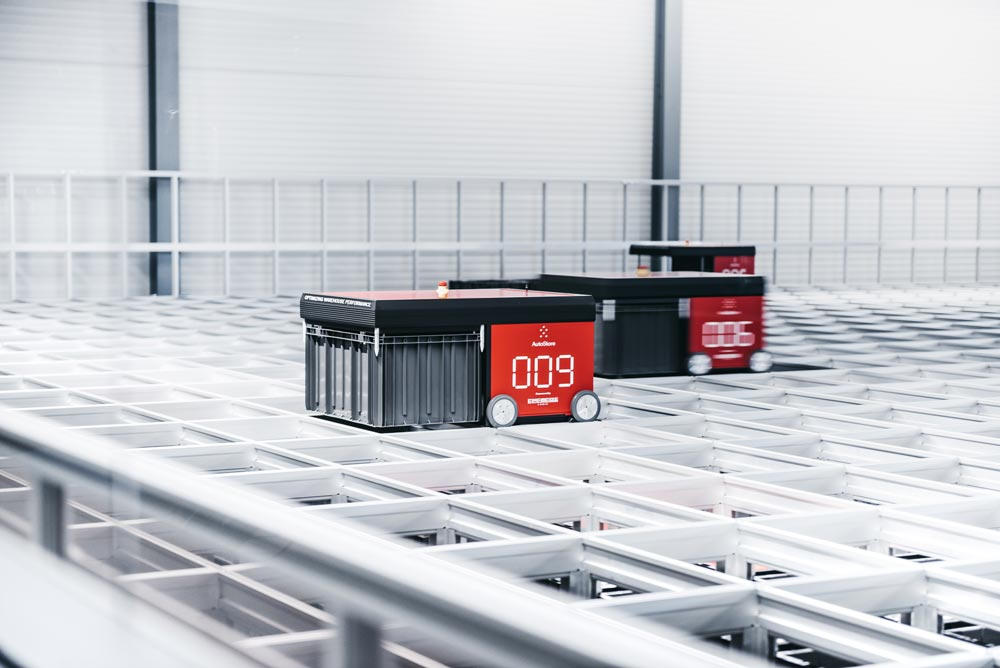
For storage, start with the inventory you plan to put in the system. Look at both the amount you expect to hold by SKU and the size of those units. Decide which products the AS/RS will handle and which will stay outside it. In an AutoStore layout, adding bins and, if needed, extending the grid can increase storage capacity. See how AutoStore can scale as storage needs change.
For throughput, work backward from your shipping deadline. Use hourly order lines to understand when demand builds. Then look at what happens before and after picking. If packing already has a backlog, faster picking alone will not get those orders out sooner. And if replenishment runs late, the inventory needed for picking may not be ready. Read more about planning for high-throughput peaks.

Turn your data into capacity requirements
Ask your design team to use actual order data to simulate a typical period and a representative peak. Then test your growth forecast separately. For each scenario, ask whether the proposed design has enough storage, can meet your shipping cutoff, and where a backlog is most likely to form. If you need more throughput from an AutoStore system, adding robots or ports may be an option. Check that picking, packing, and shipping can handle the additional volume too. Learn how Element Logic tests warehouse automation designs.
Helly Hansen used data from the previous year to help size an expansion of its existing AutoStore system. The company commissioned the expansion with 24 additional robots and two Carousel Ports to increase capacity ahead of future peaks. Read how Helly Hansen prepared for peak season.
Ready to plan your AS/RS?
Start with your SKU data, hourly order lines, and shipping cutoffs. These give your design team a starting point to assess storage, throughput, and how the system will fit into your warehouse. The exact configuration depends on your operation and the results of testing the proposed design.